Goodbye Windows 11, Hello CachyOS: My Journey to Linux Gaming
I’ve been a Windows user for as long as I can remember, but recently, Microsoft made the decision to leave for me.
It wasn’t a sudden crash or a blue screen of death that pushed me over the edge. It was the nagging. Every single day, I would boot up my PC only to be greeted by a full-screen popup demanding I set up Copilot and other “features” I didn’t want. The worst part? There was no “No” button—only a “Remind me in 3 days” option.
That artificial limit was my breaking point. I decided it was time to take back control of my hardware.
Here is my experience switching my main gaming rig from Windows 11 to CachyOS, an Arch-based Linux distribution focused on speed and performance.
The Hardware
Before we dive into the software, here is the rig I’m running. It’s a pretty modern AMD-heavy setup, so I was curious to see how Linux would handle the drivers.
- CPU: AMD Ryzen 7 7700X
- GPU: Radeon 7900 GRE
- RAM: 32GB DDR5
Why CachyOS?
There are hundreds of Linux distributions out there. Why pick CachyOS?
I already run a Proxmox server at home with various Debian LXCs and VMs, so I’m not a total stranger to the command line. However, I wanted to try something different from the Debian ecosystem. I’d seen a lot of YouTube videos praising CachyOS for its performance optimizations and aggressive CPU scheduling. Since this is primarily a gaming rig, that performance promise was a huge selling point.
Plus, I wanted to dip my toes into the Arch Linux world without the headache of a manual install.
The Installation Experience
The installation was straightforward, though it required a little patience. At one point during the process, the installer seemed to freeze completely. I almost hit the reset button, but I decided to wait it out—and thankfully, it pushed through. Lesson learned: Patience is key.
Once I booted into the desktop, the difference was immediate. The OS felt snappier and cleaner than Windows ever did. No bloat, no popups, just my desktop.
KDE Plasma & The “Task Manager” Confusion
I stuck with KDE Plasma, mostly because it was the default choice, though I have used GNOME on Ubuntu before.
The transition wasn’t entirely seamless. One funny hurdle I hit was terminology. In Windows, you right-click the taskbar to get the “Task Manager.” In KDE, the bar at the bottom is called the “Task Manager,” and the app to kill processes is the “System Monitor.” It took a minute to rewire my brain, but the customization options in Plasma are incredible.
Gaming on the Radeon 7900 GRE
This was the big test. Could Linux handle my gaming library?
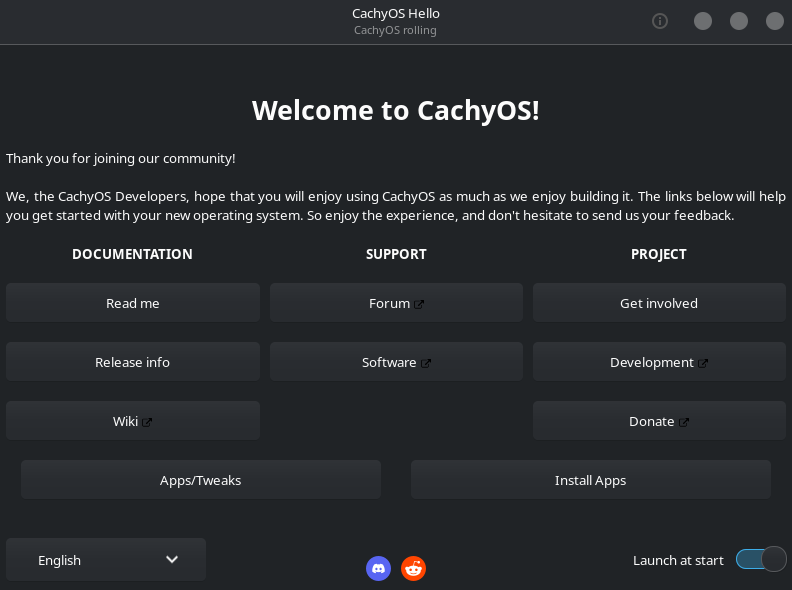
To set things up, I used the CachyOS Hello app, which is a fantastic tool that pre-installs necessary gaming packages and libraries. I didn’t even have to touch the Steam Proton settings; everything just worked out of the box.
I’m currently deep into EVE Online. With VSync enabled, I’m getting a rock-solid 165 FPS to match my 165Hz monitor. I haven’t done strictly scientific benchmarking, but the game feels just as smooth, if not smoother, than it did on Windows.
The App Ecosystem: Flatpak vs. AUR
I did run into one snag with Pyfa (a fitting tool for EVE Online). I initially installed it from the AUR (Arch User Repository), but the version there was out of date. I switched to the Flatpak version via Flathub, and it worked perfectly.
This is a good tip for newcomers: if it’s not in the main repo or the AUR is acting up, check Flatpak!
Work Workflow: The Proxmox Connection
I don’t use this machine just for gaming; I also need it for work. However, instead of dual-booting or installing work apps directly on my clean Linux install, I use a Windows 10 Virtual Machine hosted on my Proxmox server.
I connect to the VM using Remmina, and the experience is surprisingly smooth.
- Audio: Required a little tweaking to get meeting audio to pipe through to my local headphones, but it works fine now.
- Webcam: I haven’t figured out webcam passthrough yet, but that’s a project for another weekend.
I prefer this setup because it decouples my work environment from my physical hardware. If I’m traveling with my laptop, I can just RDP into the same VM and pick up exactly where I left off.
The Verdict
Do I miss Windows 11? Not really.
The only thing I miss is the mindless simplicity of double-clicking an .exe file to install something. Getting used to package managers (Pacman, Flatpak, AUR) is a shift, but once you understand how they work, you realize they are actually much better for system health and updates.
Should You Switch?
If you are tired of Microsoft’s aggressive updates and ads, do it.
- For total beginners: You might want to look at Pop!_OS or Linux Mint for a softer landing.
- For gamers & enthusiasts: CachyOS has been GREAT.
Unless you are strictly tied to Adobe Creative Cloud or specific Microsoft Office features that don’t work on the web, the Linux gaming ecosystem is finally ready for prime time. I’m not looking back.